
Category: Blogging
-
How to create responsive tables in WordPress

How far back into the history of the Internet can you remember? I remember ICQ, fan message boards (my first teen celebrity crush was Billy Zane!), and the heady early days of building websites on Geocities. Those rudimentary (by today’s standards) websites embraced wallpapers of repeated images, rainbow gradients, and questionable graphic design. And they…
-
The whys and hows of premium WordPress themes

I have just completed a total overhaul of my personal website, changing it from a freelancer-for-hire focus to a minimalist portfolio. Even though I’m a website designer, I chose a premium theme I’d never worked with before, and used it pretty much straight out-of-the-box, doing very few customisations to it. Why?
-
Three no-code methods to lay out multiple photos in WordPress
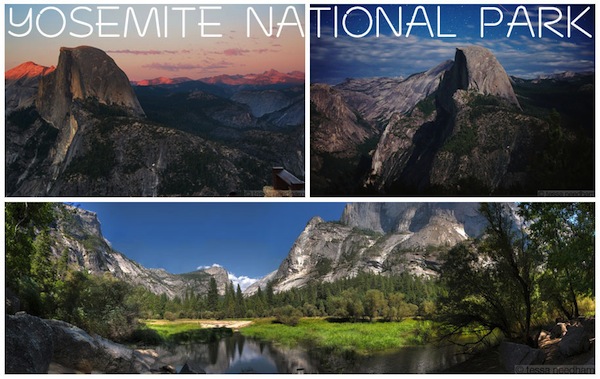
Many WordPress users want to know how to display multiple photos in their blog articles, and lay them out effectively on the page. At first glance, WordPress doesn’t seem to be well-equipped to do some things easily. But there is usually a way to achieve anything you want, even without knowing how to code! The good…
-
How to create a non-linking parent item in a WordPress menu

We are often asked how to create specific functionality with WordPress. Although WordPress is an amazing platform, and has lots of great features, there are some things that aren’t necessarily too intuitive. One example is creating parent items in a custom menu that don’t link to a page. For instance, in the menu here on…
-
Think a free WordPress theme is too good to be true? It probably is.

Every new owner of a WordPress.org website is giddy with excitement. The thrill of a new business, a new blog, a redesign or refresh is palpable. And it all seems so easy and cheap – just get your discount hosting, install WordPress with a couple of clicks, grab a free WordPress theme and BLAMMO! Instant website! Until……
-
WordCamp San Francisco 2013 Liveblog: Tracy Levesque

This weekend, I’m virtually attending WordCamp San Francisco. That is, I am watching the livestream from the comfort of my living room, while my toddler races around me. It’s a bit hectic, but better than not going to the conference at all! I’ve already written about Natalie MacLees’ talk today, but the other one I wanted…
-
WordCamp San Francisco 2013 Liveblog: Natalie MacLees
This weekend, I’m virtually attending WordCamp San Francisco. What an amazing virtual world we live in, when we can see all the talks at a conference live, from our own living rooms! Of course, there’s no substitute for actually being there, meeting people and participating in discussions, but sometimes circumstances mean that attendance is impossible.…
-
7 inspiring ideas for creating your own blog images

Sure, there are many sites to find stock images online. These vary from free (which are generally lower-quality) to paid stock images (generally higher quality). These sites are perfect for quickly sourcing images for your website and blog, but sometimes you might not be able to find the exact thing you have in mind, or…
-
Three Reasons to Resize Images Before Using Them on Your Blog

Resizing images is one of the most overlooked aspects of maintaining a website or blog. Of course, images are very important to use on your website. They draw the attention of readers, help to illustrate points, and add flourish and colour to your writing. But you don’t want your images to work against you! If…